
Updated November 2026 · Step 1 of 4 in the Archiving Guide
Step 1: Archive Planning
Before you archive anything, work out who needs the data and why. The answers decide almost everything else: the archive format, whether it needs to be searchable, which views to keep, how long to retain it, and whether any of the Notes/Domino infrastructure has to stay. This page covers the questions to settle up front.
What do your users need from the archive?
Before you start with anything, you need to understand the purpose of the archiving project. Are you retaining data for legal/compliance reasons, or do users need to be able to access the data for reference? If the only purpose of the archive is for legal reasons, that suggests that the archived data will not need to be referenced, viewed, or searched on a regular basis; it would only need to be viewed in an unusual situation (pending legal action, for example). In that case, it may be sufficient to create a flat file, XML-based archive of the data. It would be searchable, albeit not very user-friendly.
If users need to access data for reference purposes, you need to understand which databases they need access to, and why. It's a good idea to explore and try to define all possible use cases. Be specific. For example:
- Users need to research old invoices.
- Users need to search archived email, etc.
Build a set of use cases or requirements for each scenario that you can use to determine whether a proposed archiving solution will provide what your users need.
Read-only or read-write?
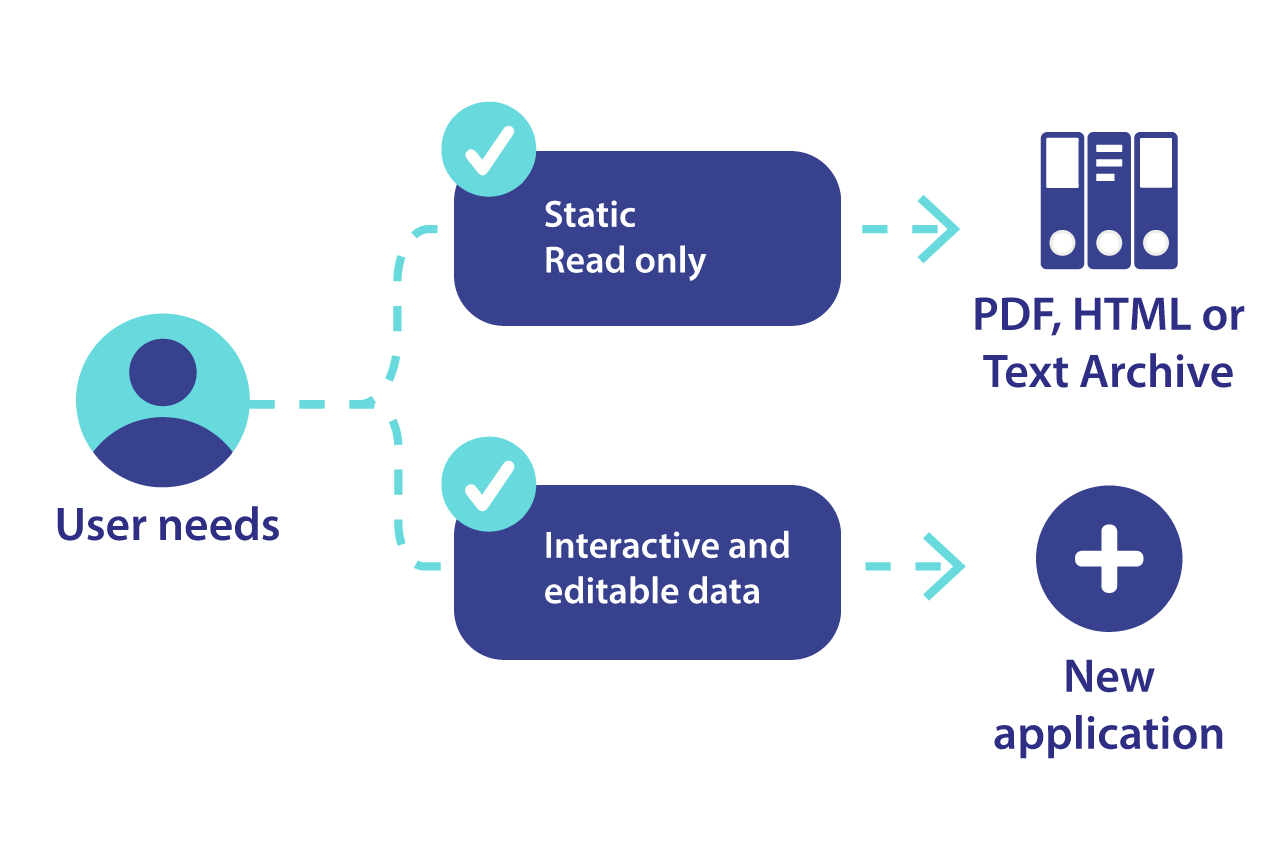
Another important question to ask is whether a read-only archive will be sufficient for users' needs, or is any editing/updating of data necessary? It's important to understand that an archive is usually very different to a working application. An archive that allows you to decommission your Notes/Domino infrastructure will most likely be a read-only resource that only allows users to search and view data. Preferably, it will present the data in a somewhat similar format to what the original Notes database looked like. The more the archive resembles the layout of the original application, the easier it will be for users to navigate and find the data they are looking for.
The simplest type of archive will create PDF format documents, each of which will resemble a printed Notes form. There is no interactivity and no possibility to update or manipulate the data. The drawback with PDF format archives is that it's often hard to properly display all the data that is available on the original Notes form. For example, tabbed tables provide a very concise way of displaying data in a way that allows users to easily zoom in on the information they are looking for. More sophisticated archive formats can present the data in a more interactive form, as an HTML page for example, which users can manipulate to find what they are looking for. A tabbed table can be implemented in HTML, not on a PDF document.
If a static, read-only archive is not sufficient for your needs, then you may need to retain some elements of the Notes/Domino infrastructure or consider migrating the data to a new application on a different platform.
Will search work the same way as it did in Notes?
Searching is a key feature of any archive. However, it's important to understand that different applications and platforms implement search in different ways. So, when a user performs a search in the Notes client, then performs the same search in the archived database, the search may (and probably will) return different results. Different search implementations may use different stop words ("a", "and", "is", "the" etc.) and will use different strategies to rank results. The way numerical digits and punctuation are handled in search may be very different, too. Some search engines are able to search numeric fields that are stored as numbers, others may require them to be stored as text.
You may ask the question: "does my chosen archiving solution support full text searching in the archives?" and the answer may well be "yes." However, that doesn't necessarily mean that end users will see the same results in their searches that they would have seen in the Notes client. This is just a fact of life, and so it may be necessary to set expectations in the user community accordingly.
Which views need to be in the archive?
As far as possible, it's a good idea to understand how users are using a database that will be archived. You want to know what views are being used and which of them need to be reproduced in the archive. Notes databases that have been in use for years (or in some cases decades) tend to accumulate views that fall out of use. So before starting the archive process, it's a good idea to run some usage analysis on the database to find out which views are being used. The fewer the number of views in the database, the faster the archive will run and the smaller the archive will be.
On the subject of views, many views in Notes databases are not intended for users to see; they are hidden, and only used by the application itself for look-ups. Keep in mind that many archiving solutions that reproduce views in the archive may contain all the views, including the ones that users wouldn't see in the Notes app. That can cause confusion when the user comes to look at the archive.
What compliance and data-integrity standards apply?
In addition to user requirements, it's also important to consider any external, industry-specific, state or federal mandated data retention/compliance policies that apply to your organization, as well as your organization's HR and Legal department's data retention and privacy policies. External policies could include HIPAA, GDPR, and state privacy laws such as California's Consumer Privacy Act (CCPA). Such laws and policies often define not just privacy and security standards, but also data retention rules which define when you may, or in some cases must, delete archived data.
One of the key requirements of GDPR, as well as many other data privacy laws and standards, is to provide to people whose personally identifiable information is contained within your databases the "right to be forgotten." That means that, in the case of GDPR, any European national whose personal information you have in your archive has the right to have you expunge that data from your records. If this applies to you, then you need to ensure that your archive system has a means of deleting records after the archive has been created.
The best approach is probably to check with your own HR and Legal departments to see which laws and policies apply to the data you are archiving, and also whether they have their own additional standards you need to consider.
How long should you keep the archives — and the originals?
You should think about whether you need or want to keep copies of the original Notes databases after they have been archived. Depending on the archive format or mechanism that you choose, you may need to be able to get back to the original database design for future auditing or compliance purposes. For example, in extreme cases, it may be necessary to be able to prove how a button or view column functioned within the original database design. Some archive tools (Teamstudio Export being one) save the entire database design in XML format, making it possible to analyze the original database design under these circumstances. If you think this is a likely scenario however, it's probably worthwhile keeping the original Notes database intact, just in case you should ever need it. Keep in mind of course, that you will also need to be able to run at least a Notes client, to be able to make use of any original databases that you keep.
If you are planning to store your archives using public cloud services such as Amazon Web Services, then it may be useful to put some thought into defining tiered levels of access. If you have large quantities of data that will only need to be accessed rarely-to-never, you could potentially save money by storing those archives in a deep archive service. Amazon's S3 Glacier Deep Archive storage class, for example, provides access to data within 12–48 hours at a significantly reduced cost. It may be helpful to consider implementing a tiered archive strategy that moves archives to less expensive media as they get closer to their data retention end point.
It probably goes without saying that whatever data retention strategy you adopt, you should attempt to automate the execution of the strategy if at all possible. Depending on humans to remember (or even consult their calendars) to purge old data on a regular basis is not a reliable method.
Does any Notes/Domino infrastructure need to stay?
In many cases, the whole reason for the archiving project is because there is a desire to decommission the Notes/Domino infrastructure. In that case, there is an implication that none of that infrastructure will remain after the archiving project is complete. That may not be the case, however. You may need to leave some elements in place if, for example, you have identified a very complex application with a small number of users that does not justify a large investment to migrate to a different platform. Or, it may be necessary for compliance reasons to be able to reproduce the behavior of a key application in the event of an audit or legal challenge. If you do need to keep any elements of the Notes/Domino infrastructure in place, it's important to ensure that you also maintain access to appropriate skills to operate that infrastructure, whether that is internally or via outsourcing.
What should you prepare before you start?
As you prepare to start the archiving project, there are several items to consider:
- Are any changes required to the application design prior to archiving? This may include deleting unused views, renaming views to make their purpose clearer in the archive, unhiding parts of the design or relaxing some security constraints (such as Readers fields) that are no longer applicable or would restrict access to data.
- Do any maintenance procedures need to be run prior to archiving? Especially if some applications have not been used for years, it may be necessary to update view indexes and check for corruption before uncovering issues in the middle of an archive run.
- Resource planning. What resources (disk space, processing power) will be needed, and are they available? Typically, an archiving tool will need at least as much disk space as the source database uses, and often considerably more. Time is also a resource: if you have a large quantity of data to archive, how long will it take, and how long will those processing resources need to be available?
- Human resource and skills management. Plan to retain the skills needed to maintain the Notes/Domino infrastructure and the archiving tool at least until the archiving process is complete, in addition to any skills needed to manage the target platform.
- Can or should any data be purged before archiving? Many archiving solutions produce read-only copies of the data, so purging unwanted records after the fact may be difficult or impossible. There is no point spending time and resources archiving data you will simply delete later. Identify and purge unwanted data up front. Teamstudio Usage can help here too, by clearly showing which databases have had no recent activity and are therefore lower-priority candidates for archiving, or candidates for outright deletion.
Next: Step 2 — Creating the archives · Back to the guide overview