
Updated November 2026
Archiving HCL Notes Databases: A Practical Guide for Migration and Retirement
If you are migrating away from HCL Notes/Domino, or retiring old Notes applications, you will need to archive the data they hold. This guide walks through the four stages of an archiving project — planning, creating the archives, storing and provisioning them, and securing them — and the decisions you will face at each one.
Archiving Notes databases. It sounds simple enough, but raises several important questions:
- What does the term "archiving" actually mean in a Domino environment?
- What archive formats are available, and what are the pros and cons of each?
- How should an archiving project be planned and executed?
- How will archived data be stored and accessed in the future?
These are the questions we explore in this guide. We break the archiving process into four practical stages:
- Archive planning — Understanding user requirements, compliance needs and technical constraints. Identifying database candidates for archiving and determining archive formats.
- Creating the archives — Preparing databases and running the archive process.
- Storing and provisioning archives — Making archived data accessible without maintaining Domino.
- Security considerations — Protecting archived data while maintaining usability.
But first, why are you even considering archiving your Notes databases in the first place?
There are a couple of different reasons why you might be thinking about an archiving project. One is for general cleanup and data hygiene purposes, and the other is because you are retiring old databases that are no longer needed.
Archiving for hygiene
The most common application of this type of archiving is aimed at Notes mail files. By their nature, mail databases tend to grow over time, as new mail arrives and not every user is diligent about deleting old or unwanted emails.
Although HCL Domino is now capable of handling large database sizes and high numbers of documents, performance will inevitably degrade as the number of documents increases, and so it's a good idea to institute an archiving policy to keep the size of the mail files under control.
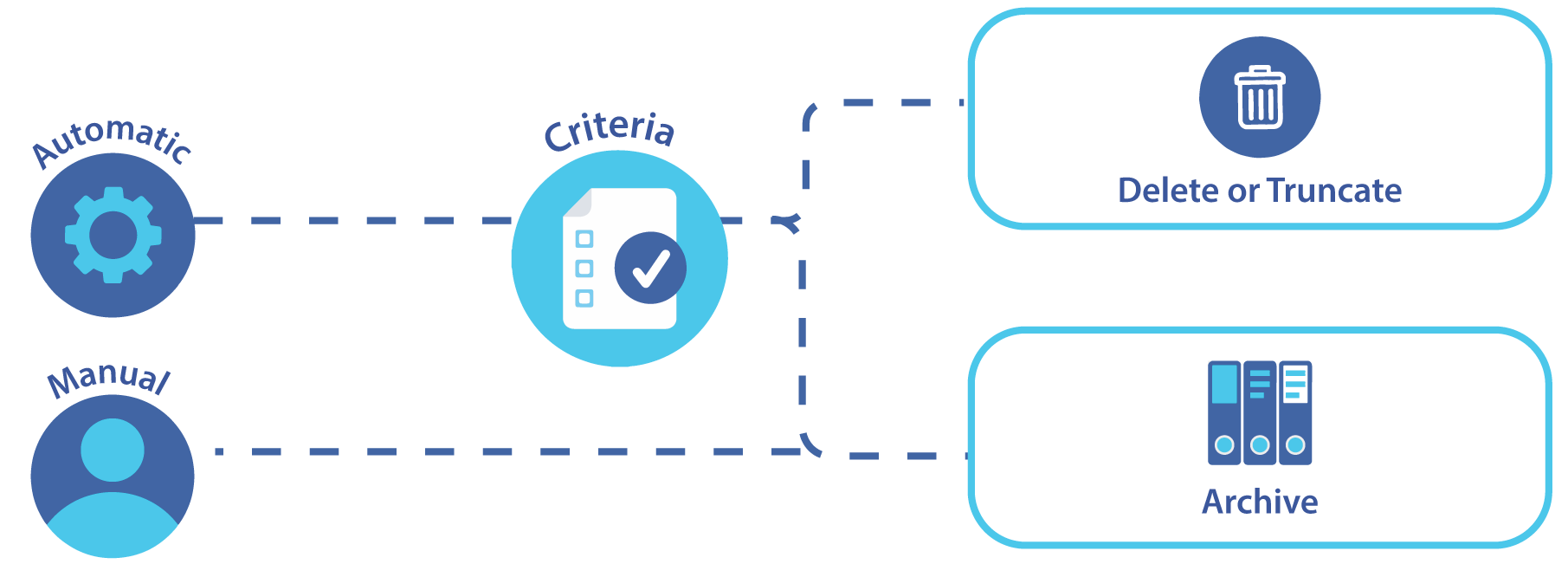
The Domino platform allows you to set up archive databases and associated policies so that documents are manually archived by users or automatically archived based on a set of defined criteria. For example, you can set criteria to define which documents will be archived, such as documents that have not been opened for a certain period of time, then you can choose what actions to take with the documents that meet those criteria. You could delete the archived documents altogether, or you could truncate them by removing file attachments and reducing the size of the message body to a maximum of 40KB of data.
The details of setting up mail archiving policies are well documented in the HCL Domino admin documentation. As a Domino administrator, you can set automatic archiving policies, leave it to users to set up their own policies to archive on the server, on the client, and many other options.
Archiving for migration or retirement
The second type of archiving is in the situation where you may be actively migrating away from the Notes/Domino platform, or perhaps you just have some older Notes databases that have fallen into disuse and are no longer required.
If you are actively migrating away from Notes/Domino, our recommendation would be to keep a copy of your old databases, even if you have already migrated all the data to a new system. Migrating an application from Notes to some other system usually offers a good opportunity to clean up old data, and only migrate a subset of the entire Notes database. You may, for example, decide only to migrate the last few years (or months) of data. We still think that it's wise to keep a backup copy of the old Notes database as it was at the time of retirement, just in case you should ever need it.
Even if you are not migrating away from the platform, if you've had a Domino application infrastructure for any length of time, there are most likely older databases that are no longer used and have reached retirement age. It's a good idea to identify these old, disused databases and archive them somewhere they can be accessed in the future, preferably without having to rely on having a working Domino infrastructure. Teamstudio Usage is a tool specifically designed to help with this: it analyzes database access patterns across your Domino environment to identify which databases are actively used and which are candidates for archiving or retirement, saving you significant manual investigation work.
If you're archiving databases for either of these reasons, but especially if you are aiming to be able to shut down your Domino infrastructure in the future, you most likely want to find an archive format that is independent of the Notes/Domino platform. Ideally, you're looking for an archive format that is independent of any vendor. By their nature, archives of this type need to be stored safely for long periods of time but also need to be easily accessible by any user who wants to look up some historical piece of data.
Read the guide
- Step 1: Archive planning — user requirements, compliance, retention, infrastructure and preparation
- Step 2: Creating the archives — environment, performance, data integrity and Notes-specific complications
- Step 3: Storing and provisioning archives — distribution platforms and a comparison of archive formats
- Step 4: Security considerations — protecting the archive once Notes security no longer applies
Prefer a PDF?
The complete guide is also available as a PDF to download and share with your team. Fill in the form and we'll send it to you.