

When we first released Teamstudio Usage, our focus was on giving teams a clearer picture of usage activity occurring inside of their Domino application environments. Usage makes it easy to see which databases are still active, which user IDs are being used, and which applications have quietly gone dormant.
In our next release, we’re taking a step forward with a feature that is currently our most requested: CSV export of usage metrics. This update makes Usage not only a discovery tool, but a reporting engine, ideal for teams who want to take their Notes/Domino application usage metrics into Excel, dashboards, or beyond.
You may already be familiar with our Teamstudio Export product. The CSV export workflow in Usage is modeled after the familiar data export interface, with a similar approach to customization options and selecting and organizing fields to build out your desired dataset.
Below is a first look at what’s coming.
Export the Usage Data You Need
The upcoming release supports several new usage metrics that can be exported within Usage:
Database-specific usage metrics — great for identifying which applications are actively used and which are candidates for archiving.
User-specific activity reports — ideal for license reviews or security audits.
Database and catalog properties — helpful for cataloging environments or planning migrations.
The CSV exports give teams a detailed, portable snapshot of their environment metrics; something that can be easily shared or combined with external tools like Excel, Power BI, or internal reporting systems or dashboards.
Choose, Organize, and Sort
Different teams require different information. You can add or remove fields, rearrange their order, and specify how the exported data should be sorted. For example, if you want to group usage by database name, sort by last-access date, or compare a user's activity across applications, the data export UI will help. This level of customization makes it much easier to tailor reports to specific stakeholders, whether it is an IT manager, a compliance team, or a project lead preparing a migration plan.
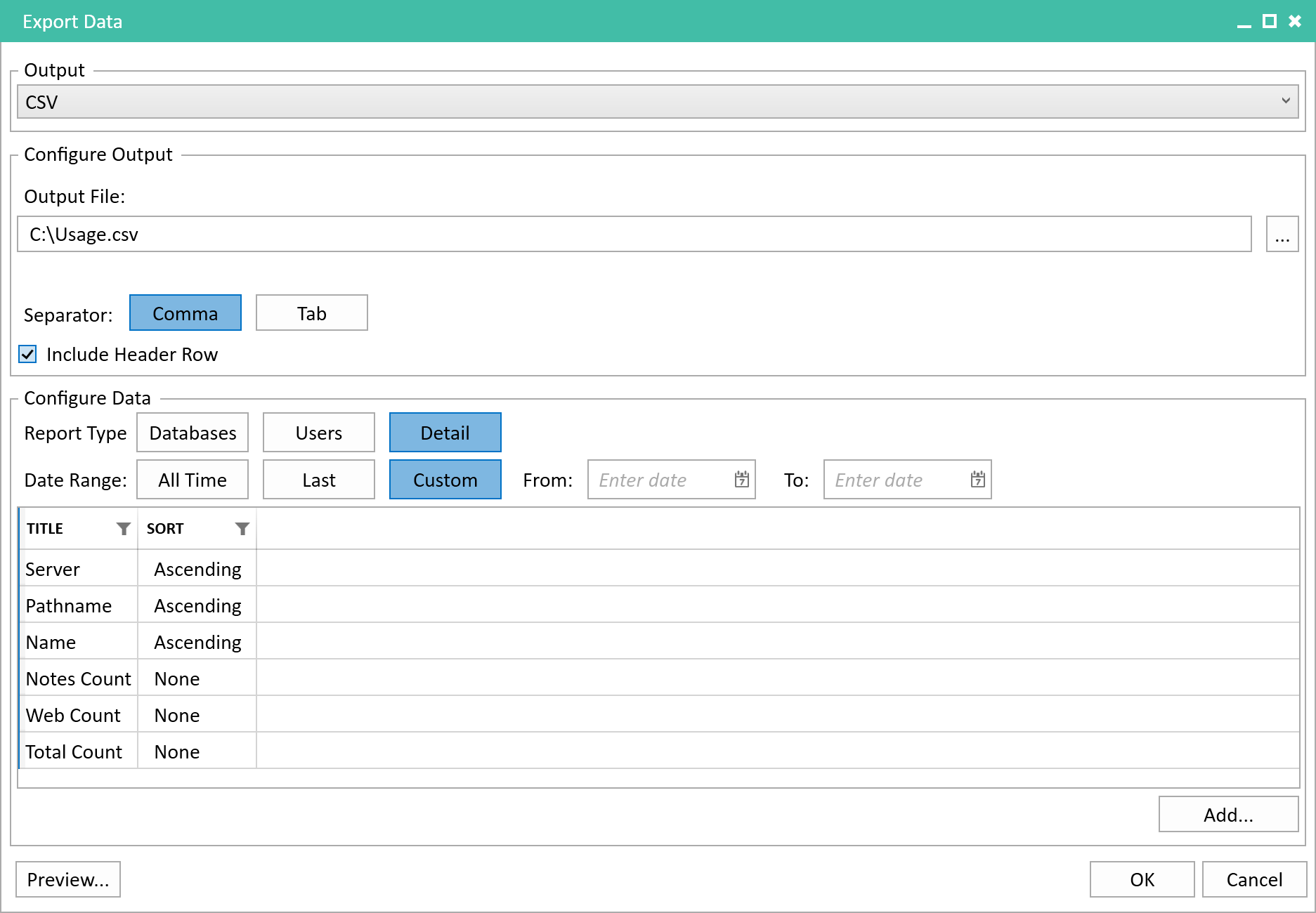
A look at the CSV Export interface, showing date-range options, report type selection, data-field inclusion list, and sorting controls.
Who, What & When?
You will be able to define exactly what time period you want your report to cover. You’ll be able to choose from preset ranges—such as the past set of days, months or years, or set your own custom date window. This gives you granular control over the activity data you’re analyzing.
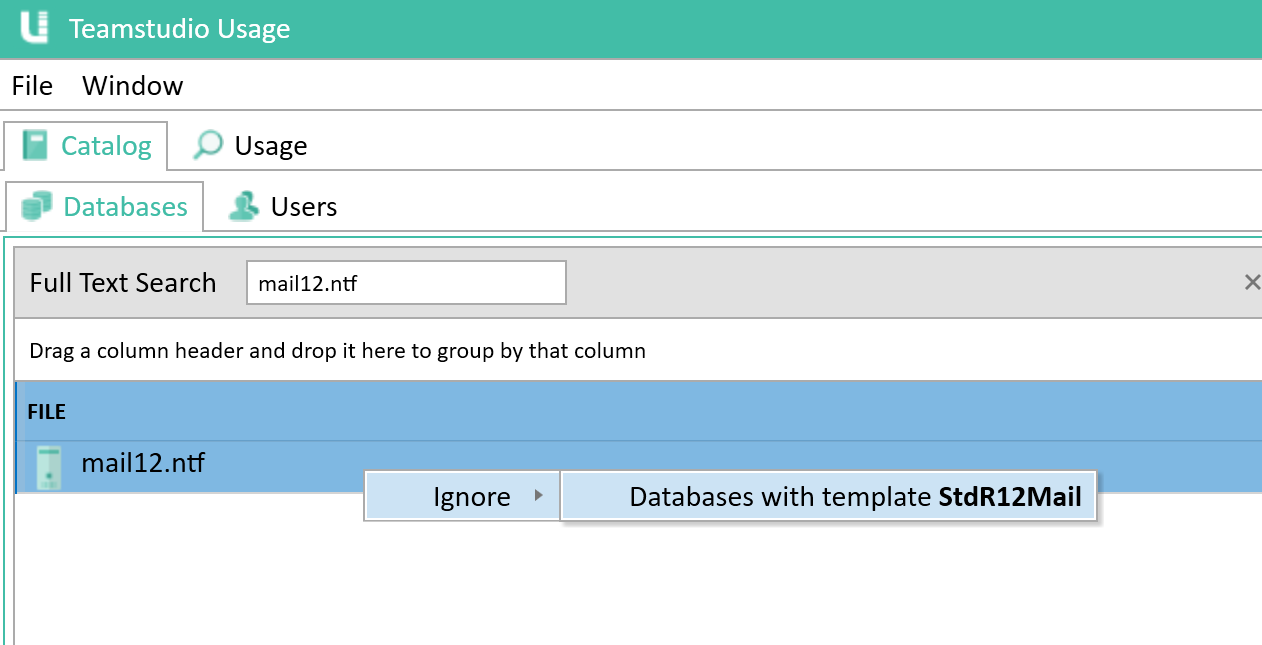
Target specific applications or user activity from both CSV reporting and usage metrics. Here we can ignore all mail files by targeting their master template.
Your reports will automatically use the same filters you’ve already applied within the Usage UI. So, for example, if you’ve excluded all mail databases from your main view, they won’t appear in your CSV export either. The same goes for filtered users. If you have a ‘System’ account you want to exclude, that’s also possible. This makes it simple to create highly targeted usage metrics based on the exact area of the Domino environment you're working with. The result is more focused reports with less manual cleanup on the backend.
Preview Before You Export
Before finalizing your report, you can preview it before generating the CSV. This lets you verify that all the right fields are included, the order looks correct, and sorting behaves the way you expect. If anything looks off, you can jump back into the configuration panel and make adjustments without having to generate multiple test files.
If you haven’t seen Usage in action yet, our short overview video offers a good sense of how Teamstudio Usage analyzes and presents Domino application usage activity:
This feature is currently in testing, and we’re excited to get it into your hands. Teamstudio Usage’s new CSV export capability will add flexibility for teams that need to review, distribute, or analyze their usage data outside the application.
If you have any questions or would like to arrange a demo, get in touch. We are always happy to help.