

Teamstudio Export already gives you several ways to get data out of your Notes/Domino applications: HTML, PDF, XML archive, SharePoint Lists, and CSV. In Export 5.2, we're adding one more: JSON.
This has been on our radar for a while, but customer interest has picked up for one specific reason: feeding exported Notes data into AI systems. As we discussed in our post on using exported data with AI systems, CSV and HTML have been the practical starting points for most RAG pipelines so far. JSON is a natural next step, it's the native interchange format for most AI ingestion tooling, APIs, and modern data platforms. So exported data can typically be consumed directly, without an extra conversion or mapping step.
The feature is in testing now. Here's a first look at what's coming.
Built on the Export Workflow You Already Know
JSON export follows the same data selection model as CSV and SharePoint List export:
Same selection logic. Selection formula, view, or full-text search. Build your data set the way you already do.
Same field configuration. Choose, order, and rename the fields you want included and with the saveable export configurations introduced in Export 5.1, reuse them across formats.
Self-describing output. Each document is exported as a well-formed JSON record with field names attached to every value, ready for direct ingestion into pipelines and APIs.
Archive linking. Like CSV and SharePoint List export, JSON output supports a dynamic link back to the source database archive, so every exported record can be traced to its original context.
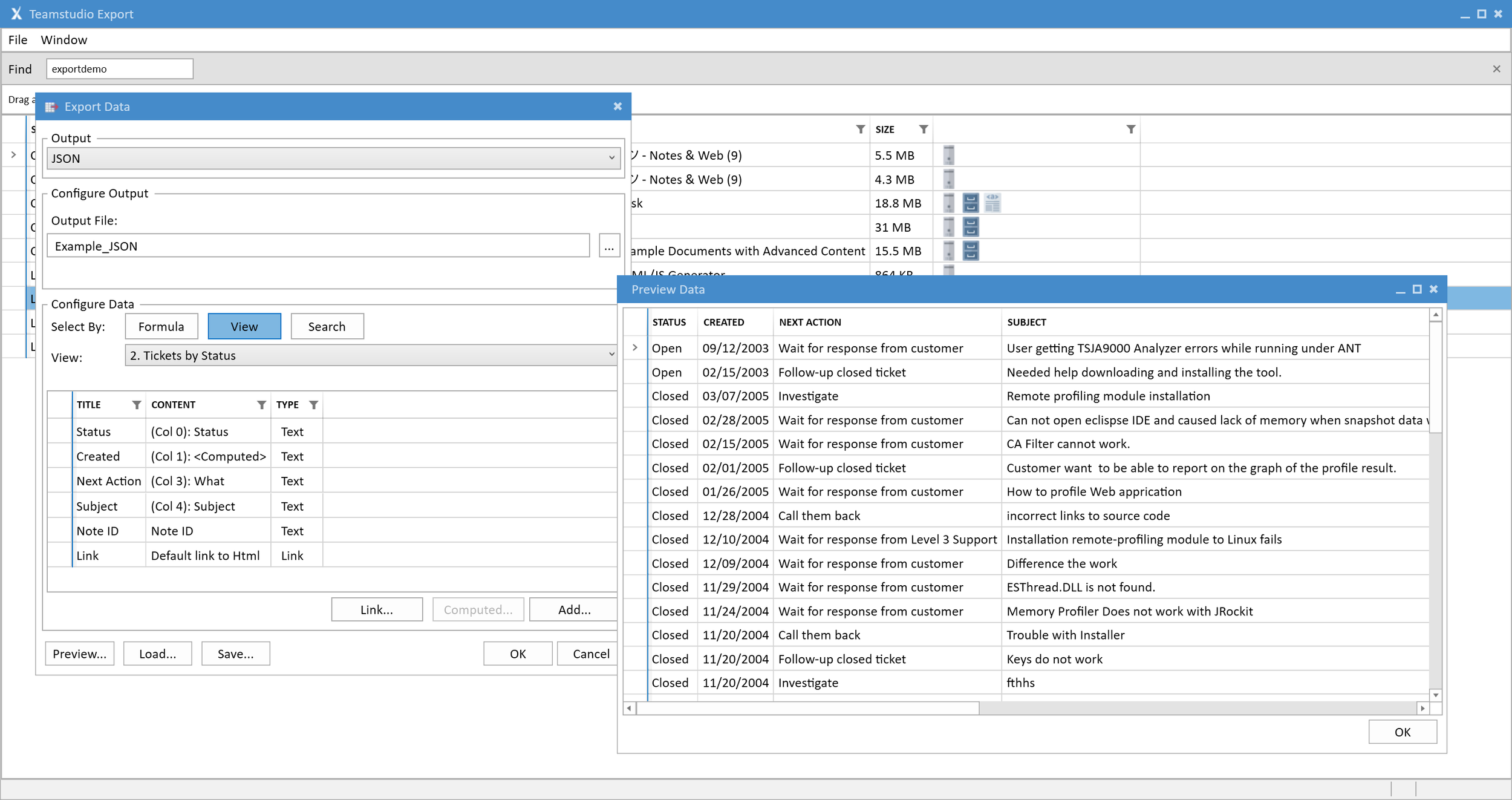
Selecting fields for JSON export, the same configuration workflow used across Export's other formats.
Why JSON, Specifically?
CSV remains a great fit for spreadsheet work and tabular analysis. JSON earns its place when the destination is a system rather than a spreadsheet: RAG frameworks, vector database loaders, APIs, and integration platforms almost universally speak JSON natively. Because each record carries its field names with it, there's no header-row mapping to maintain and no ambiguity about which value belongs to which field. The data arrives ready to use.
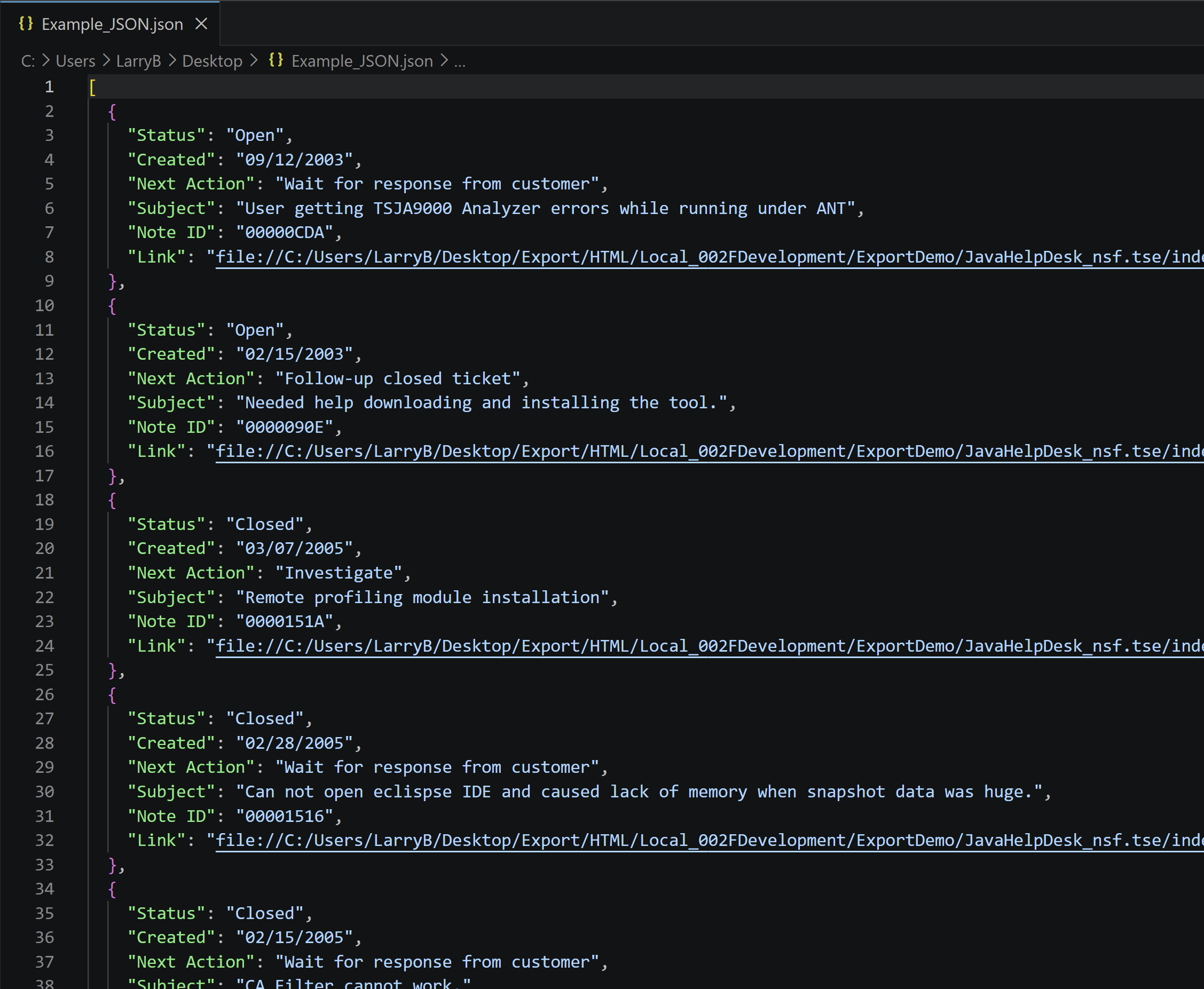
A sample of the JSON output: each Notes document becomes a self-describing JSON record.
Tell Us What You're Building
JSON export is a direct response to what customers have told us about their AI and data-integration plans and, as always, we're still listening. If you're working with exported Notes data in this space, our AI & RAG survey takes just a few minutes.
We'll share more as Export 5.2 approaches. If you have questions in the meantime, or thoughts on what you'd want from JSON export, get in touch. We're always happy to help.